

Key Takeaways:
- A VIN cannot reveal a vehicle owner’s identity. Federal privacy laws protect personal information such as names and home addresses from public access.
- A VIN can still provide valuable vehicle history. It can uncover ownership history, title records, accident reports, mileage, recalls, and factory specifications.
- Only authorized parties can access owner information. Law enforcement, government agencies, courts, and others with a legally permitted purpose may obtain protected DMV records.
- Ownership history is more useful than owner identity. A vehicle history report helps buyers spot red flags like frequent ownership changes, title issues, and accident history without exposing personal information.
Finding a car’s owner by VIN is possible for most people; however, it has limitations. While every vehicle carries a unique Vehicle Identification Number, it cannot legally be used to find past ownership of a vehicle, such as the name, address, or other private information. Federal privacy laws restrict access to DMV records that identify vehicle owners.
This guide explains who can legally access owner information through a VIN, why owner details are protected, what information a VIN can legally reveal, and how to check a vehicle’s ownership history the right way before buying or selling.
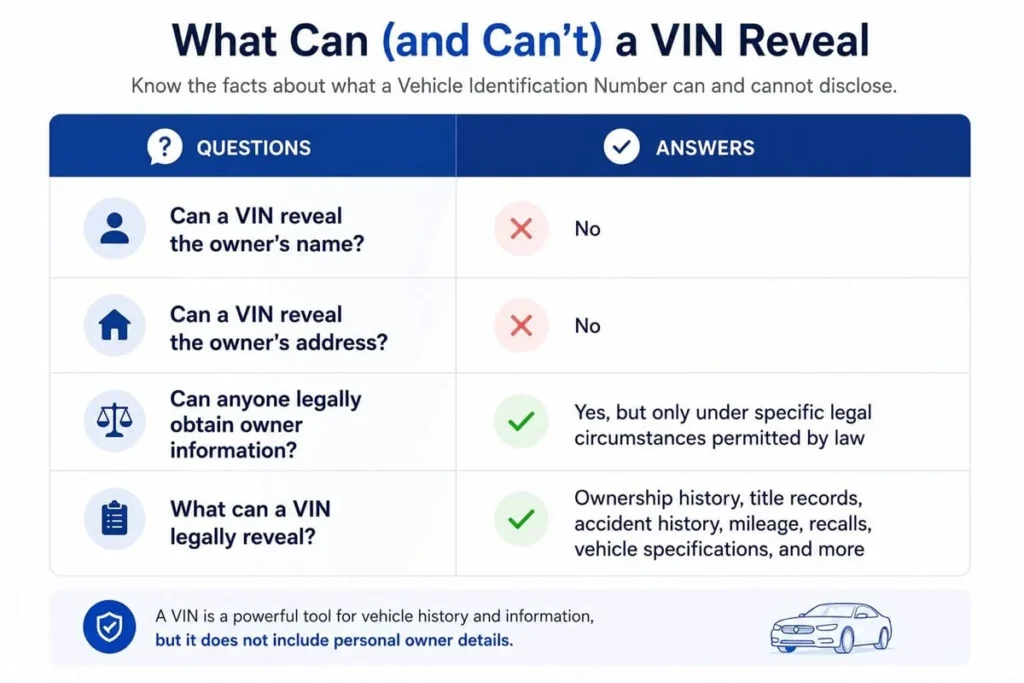
Can You Find the Owner of a Vehicle by VIN Number?
No. In most cases, you need specialized access from the authorities to find the information about the vehicle’s past owner. A Vehicle Identification Number (VIN) or license plate number cannot legally be used to obtain someone’s name, home address, or other personal information
Questions | Answers |
Can a VIN reveal the owner’s name? | No |
Can a VIN reveal the owner’s address? | No |
Can anyone legally obtain owner information? | Yes, but only under specific legal circumstances permitted by law |
What can a VIN legally reveal? | Ownership history, title records, accident history, mileage, recalls, vehicle specifications, and more |
Why VIN Lookups Don't Show Names or Addresses
Plenty of VIN lookup tools that claim they can find a car owner by VIN do not display a vehicle owner’s name or address because of the Driver’s Privacy Protection Act (DPPA), a federal law enacted in 1994.
During this time, the Act restricts the state’s Department of Motor Vehicles (DMV) from releasing personal information about motor vehicles unless it is permitted by law, limited to law enforcement investigations, insurance claims, or court proceedings.
What the DPPA Protects
The following personal information cannot be found in DMV records:
- Name
- Home address
- Telephone number
- Driver’s license number
- Photograph
- Social Security number
- Other personally identifiable information
What the DPPA Doesn't Protect
This is the information that is permitted to be shown on a vehicle report.
- Vehicle title history
- Accident records
- Ownership timeline (without owner names)
- Registration history
- Vehicle specifications
- Recall information
- Mileage history
- Other vehicle-related records that do not identify an individual
Who Can Legally Access Owner Information Through a VIN
Although public access is restricted, it allows selected individuals and organizations to access vehicle owners’ information from the DMV for approved purposes. These exceptions are made to ensure public safety and to keep personal records private.
- Law enforcement agencies conducting criminal investigations or enforcing the law.
- Government agencies performing official duties, such as vehicle registration, safety, or regulatory enforcement.
- Courts and attorneys are involved in civil, criminal, or administrative legal proceedings.
- Individuals or organizations: These parties should have the vehicle owner’s written consent to access the information.
What If You Have a Legitimate Legal Need?
If you have legitimate legal reasons to look up the vehicle’s owners, you will need to follow the appropriate legal process instead of relying on a suspicious VIN check tool.
- Work with an attorney if the information is needed for a legal matter.
- Contact your state’s DMV to determine whether your request qualifies under applicable laws.
- Obtain the owner’s written consent whenever possible.
Pro Tip
Always avoid websites that claim they can decode the VIN and provide private information for free, as most of them will steal your data and scam you.
How to Find a Car’s Ownership History by VIN
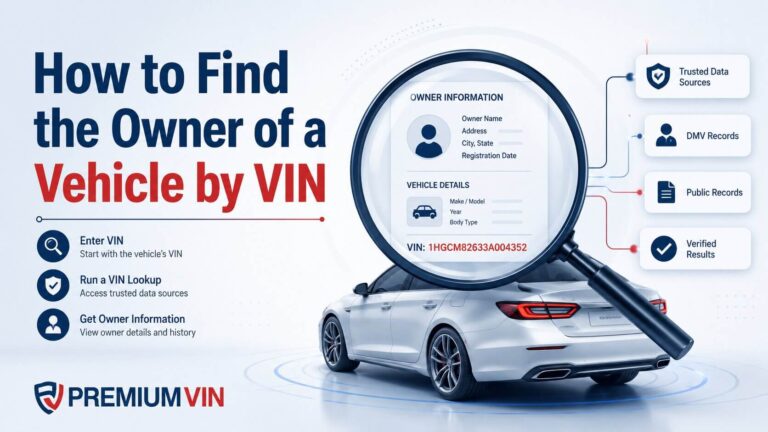
To find a vehicle’s owner records by VIN is easy; you can do it with PremiumVIN’s owner check by VIN. Follow these simple steps to get it done in less than a minute.
Step 1: Find the VIN
Check the driver’s side doorjamb, the windshield, or the vehicle’s paperwork to find the VIN.
Step 2: Enter the VIN
Use the owner check by VIN tool, then enter the VIN on the form. After that, you can click on the button to submit the form.
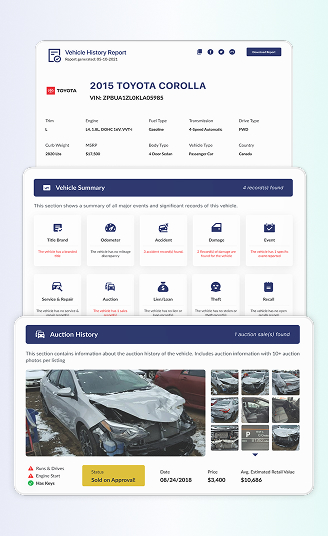
Step 3: Get the Vehicle History Report
Check the preview page to check engine type, body style, fuel type, and MSRP. Purchase the full report to unlock ownership history, including purchase year and previous registration locations.
What Will You Get on the Vehicle History Report?
Not only getting the detailed information on the vehicle’s ownership history, but you will also get much more information on the vehicle’s records that are important to know before proceeding with getting a used vehicle.
Ownership History
Review ownership records, including the number of previous owners, approximate purchase or transfer years, previous registration states, and the length of each ownership period. Personal information, such as names and addresses, is not included in the report.
Usage History
See how a vehicle was used by the previous owner. In this section, you can get detailed information about how the vehicle was used, such as privately, rented, leased, by the government, or as part of a taxi fleet.
Vehicle Specifications
View the vehicle’s original factory specifications, including the model, engine, transmission, body style, manufacturing location, fuel type, and installed options. These details help verify whether the vehicle matches its original build.
Title Status and Branding Records
Check the vehicle’s title history to determine whether it has a clean title or has ever been branded as salvage, rebuilt, flood, junk, lemon, or another title designation. This information can reveal significant events that may affect the vehicle’s value or insurability.
Lien and Financial Records
See whether the vehicle has any reported current or previous liens. This information can help identify outstanding financial interests that should be resolved before a purchase.
Theft and Recovery Records
Find out whether the vehicle has ever been reported stolen or recovered. When available, records may include the reporting agency, dates, and recovery status.
Safety Recall Information
Review manufacturer-issued or NHTSA safety recalls associated with the VIN, including affected components and available repair information. This helps determine whether important safety recalls have been addressed.
Accident and Damage History
View reported accidents and damage events, including collisions, flood damage, fire damage, hail damage, or other significant incidents. Available records may include dates, locations, and damage details.
Service and Maintenance History
Access available maintenance and service records, such as inspections, oil changes, brake service, tire replacements, and repairs. A consistent maintenance history can provide additional insight into how the vehicle has been cared for.
Odometer Readings and Mileage Timeline
Track reported mileage throughout the vehicle’s history to identify consistent usage or potential odometer discrepancies. Unusual gaps or mileage decreases may indicate possible rollback or reporting issues.
Auction and Sales Records
Review available auction and sales history, including previous listing dates, sale prices, condition notes, and auction photos when available. These records can help verify a seller’s claims and provide additional context about the vehicle’s past condition.
How Gus Avoided Buying a Car With 5 Previous Owners
Gus wanted to purchase a used 2014 Chevrolet Sonic from a private seller in Pasadena. He wanted to check how many owners it has, so he decided to run a quick VIN check.
Sample VIN: 1G1JA5SH4E4153457
First Impression
The car looks decent despite its old age. The seller said that the car has minor damage that wasn’t disclosed. Gus got suspicious, and then he decided to purchase a vehicle history report to see its past owners and other information.
What Gus Saw on the Report
Once he got the report, he found out that the car had many problems aside from the undisclosed damage.
Previous Owners’
The report actually shows that the car had four previous owners
Owner | Purchased On | Location | Ownership Period | Duration of Ownership |
1st Owner | 2014 | KY | 04/2014 – 11/2014 | 7 months |
2nd Owner | 2014 | IN | 11/2014 – 03/2016 | 1 year 4 months |
3rd Owner | 2016 | IL | 03/2016 – 04/2018 | 2 years 1 month |
4th Owner | 2018 | IL | 04/2018 – 11/2019 | 1 year 7 months |
5th Owner | 2019 | IA | 11/2019 – Present | 4 years 10 months |
Other Car Information
Aside from the past ownership information, here’s what he found on the report:
- The vehicle has a minor/major damage incident
- 1 accident record
- 1 Record(s) of damage
- 5 lien or loan record
- 3 service & repair record
Overview
Gus decided not to purchase the car despite the low price because the seller did not fully disclose the past ownership history and damage history of the car.
Can You Find a Vehicle Owner by License Plate?
No. Like VINs, license plates are subject to the privacy protections established by the Driver’s Privacy Protection Act (DPPA). In most cases, private individuals cannot use a license plate number to obtain a vehicle owner’s name, address, or other personally identifiable information.
However, you can do a license plate lookup with PremiumVIN and get a vehicle history report to see the ownership history and other vehicle information, such as accidents, auctions, damage history, theft, and much more.
Legal and Ethical Considerations
Attempting to obtain protected DMV information through unauthorized services can be considered a violation of federal law. If you have a legitimate legal need to identify a vehicle owner, follow the appropriate legal channels rather than relying on unofficial lookup services.
Conclusion on How to Find the Vehicle Owner by VIN Number
While VIN cannot reveal any vehicle’s ownership information in detail, it can help you to get detailed information about the vehicle’s records with a vehicle history report.
A vehicle history report helps uncover details such as previous ownership, title history, accident records, mileage, and vehicle specifications, allowing buyers to make better buying decisions. Finding owner by VIN is possible; however, you need to remember that you cannot get private information like names and addresses of the vehicle’s past owners.
FAQs on How to Find the Owner of a Vehicle by VIN
Can I look up who owns a vehicle by VIN number?
No. A VIN cannot be used to find a vehicle owner’s name, address, or other personal information. Privacy laws, including the Driver’s Privacy Protection Act (DPPA), restrict access to these records, allowing only authorized parties to obtain them in specific situations.
What information does a VIN provide?
A Vehicle Identification Number (VIN) is a unique 17-character code assigned to every modern vehicle. It can reveal important details such as the manufacturer, make, model, model year, engine, assembly plant, and country of origin. A VIN can also be used to access vehicle history records, including title history, accident reports, recalls, theft records, and mileage information.
Are there government databases for vehicle owners?
Yes. Government agencies maintain records of vehicle registrations, titles, and ownership. However, these records are protected by privacy laws and are not available to the public. Access is generally limited to authorized agencies and organizations with a legally permitted reason.
Can you find someone's address from their VIN?
No. You cannot use a VIN to find someone’s home address or other personal information. In the United States, laws such as the Driver’s Privacy Protection Act protect vehicle registration records from unauthorized access.
Can I use a VIN to find car details?
Yes. A VIN can be used to access a vehicle’s factory specifications, including its make, model, year, engine, and other build details. It can also provide a vehicle history report with information such as accident records, title history, and odometer readings.
Can a VIN number identify the owner?
No. A VIN does not identify a vehicle’s owner to the general public. Only authorized entities, such as law enforcement agencies, government agencies, insurance companies, and other organizations permitted by law, can access owner information linked to a VIN.